SmugMug Announces Intent to Acquire Flickr

Well that’s unexpected! We just found that press text in our mailbox:

SmugMug Announces Intent to Acquire Flickr

MOUNTAIN VIEW, CA – (April 20, 2018) – SmugMug, the largest, most comprehensive, independent photo management platform in the world, today announced it has agreed to purchase Flickr, the online photo management and sharing application. Together, SmugMug and Flickr represent the world’s most influential community of photographers, marrying SmugMug’s deep industry expertise and strong digital tools with Flickr’s global tribe of tens of millions of photographers. Following the close of the transaction, the brands will continue to operate as separate entities with the shared goal of providing photographers with both a place to fit in and a place to stand out. SmugMug and Flickr believe that all photographers—from the hobbyist to the prosumer to the professional—belong together.

“Since day one our passion has been empowering photographers to tell the stories they want to tell, the way they want to tell them, and our investment in Flickr reaffirms this commitment,” said Don MacAskill, CEO of SmugMug. “Uniting the SmugMug and Flickr brands will make the whole photography community stronger and better connected.  The enduring quality of photography is so much more than clicks and likes—photography has the power to change the world. Together, we can preserve photography as the global language of storytelling.”

Established in 2002 as one of the first photo storage and sharing services, SmugMug is home to millions of passionate photographers and billions of secure photographs. The SmugMug platform provides photographers with website designs that offer a safe, easy and convenient way to share, showcase and sell their stories. SmugMug gives photographers complete control over who accesses their photos, and provides robust e-commerce features that make it easy to turn passion into profit.

At its heart, SmugMug encourages and empowers its community of photographers to learn, share, and inspire one another. SmugMug provides 24/7 support, from real people, along with tips, tutorials, and training events, and also hosts webinars and forums with leading photographers.

Founded in 2004, Flickr is an active, global community of photographers that encourages users to find their inspiration. Home to tens of billions of photos and two million groups, photography lovers come to Flickr to share their passion, discover spectacular images, hone their craft, and engage with friends old and new.

“We share SmugMug’s mission to cater to people—professionals, amateurs, and everybody in between— who invest time, energy and love into their photos,” said Andrew Stadlen of Flickr. “We look forward to becoming part of the SmugMug family and continue to grow, innovate and delight our global community of photographers.”

Additional Information

About SmugMug

Photographers across the globe trust SmugMug with more than just their photos. They trust SmugMug with their memories, their businesses and their passion. SmugMug is the safe, beautiful home for your memories, providing passionate photographers at any level of experience a place to store, share and sell high-quality photos. Currently home to more than four billion photos, SmugMug is the most popular photography site in the world. At SmugMug, we love your photos as much as you do—and we’re focused on helping you celebrate and preserve all of life’s important moments.

Official: Four new Laowa lenses for Sony E-mount,MFT and Fuji GF!

Venus Optics announced the development of these four new lenses:

Anhui China, Apr 20, 2018 – Venus Optics, the camera lenses manufacturer who had previously launched a number of unique Laowa camera lenses, is proud to announce 4 new and unique lenses.

– Laowa 10-18mm f/4.5-5.6 FE Zoom
– Laowa 100mm f/2.8 2X Ultra Macro APO
– Laowa 17mm f/4 GFX Zero-D
– Laowa 4mm f/2.8 Fisheye MFT

Laowa 10-18mm f/4.5-5.6 FE Zoom
This lens is currently the widest zoom lens available for Sony full frame E-mount cameras. Designed primarily for travel photography, Venus optics have managed to compress the size to smallest in its class, less than 10 inch (<10cm) and only 1.1 pounds (<500g). The 102° (18mm) to 130° (10mm) angle of view provides flexibility for photographers to compose landscape or architecture photos with ease. The lens houses with 14 elements in 10 groups with 2 aspherical elements & 1 extra-low dispersion element to deliver exceptional performance. It can focus as close as 15cm for some mini-macro shooting. A rear filter slot is included to fit with 37mm filter. Click/clickless aperture can be toggled by the switch on the lens barrel.

Laowa 100mm f/2.8 2X Ultra Macro APO
Followed by the success of the Laowa 60mm f/2.8 2:1 Macro, the 100mm f/2.8 2:1 Macro is the 2nd member of Laowa 2:1 macro line-up. This new 100mm lens can cover full frame sensor size and focus from 2:1 magnification to infinity. The wide magnification range allows macro photographers to capture subject at any sizes. This 100mm portrait lens also features an apochromatic (APO) characteristic that no chromatic aberration can be found. The 12 elements in 10 groups optics design delivers a crystal sharpness image in both macro and tele distances. Canon EF / Nikon AI / Pentax K / Sony FE mounts are available.

Laowa 17mm f/4 GFX Zero-D
This is currently the widest available native lens option for Fujifilm G-mount cameras. The new Laowa 17mm f/4 GFX has a field of view equivalent to 13mm in 35mm format (113°). Featuring a close-to-zero distortion and 86mm filter thread, this lens is ideally suited for landscape, architecture & interior photography. The 21 elements in 14 groups design with 2pcs of aspherical & 3pcs of Extra-low dispersion elements successfully help to control the distortion & chromatic aberrations to the minimal.

Laowa 4mm f/2.8 Fisheye MFT
Featuring a 210° angle of view, this lens delivers unique circular fisheye field of view on Micro four thirds cameras. The ultra-wide angle view allows photographers to create 360° panorama with ease. Despite the unique & ultra-wide perspective, the lens only weighs 0.3 pounds (135g).
Specifications can be found in separate email attachment.
Availability

All four lenses will be available for trial at Venus Optics’ booth (T225) in Beijing P&E Imaging fair during 3rd-6th May 2019. They are expected to be shipped in mid/late 2018. Exact shipping date and pricing are to be confirmed.

Capture One 11.1 update with many new features and support for all latest new mirrorless cameras

Phase One released Capture One 11.1 which adds many new features and support for all latest new mirrorless cameras

If you want to buy Capture One 11 (Click here) use our coupon code “AMBMR” to get a 10% discount!

PRESS TEXT:

Phase One Releases Capture One 11.1
Update Provides New Resource Hub, Expanded Camera Support and Improved Workflow

COPENHAGEN, Apr. 19, 2018 – Phase One, the world’s leading manufacturer of high-end digital camera systems, today released Capture One 11.1, a service release to the industry’s premier RAW conversion and image editing software. The release enhances the Capture One user experience, through a new support platform and functionality updates to ensure a faster, smoother workflow. Improved Styles and presets workflow, support for 11 new cameras, including Sony A7 Mk III and Fuji X-H1 and 10 new lenses, including Tamron lenses for both Nikon and Canon, and an all-new Resource Hub are among the latest updates.

“Capture One remains dedicated to the needs of ambitious photographers. These latest updates introduce an extension to camera and lens support, as well as an all-new Resource Hub. The Resource Hub is an in-app portal that allows users to easily access news, tutorials, updates and much more – all designed to inspire photographers and ensure the best workflow and user experience in Capture One,” said Jan Hyldebrandt-Larsen, VP Software Business at Phase One.

NEW FEATURES AND TOOLS IN CAPTURE ONE 11.1

IMPROVED STYLES AND PRESETS

A new workflow adds a much faster way to apply both Styles and Presets to a Layer on one or multiple images, offering a direct control of opacity, imperative to wedding and portrait photographers.
Furthermore, a new Spring Styles Pack is included, offering bright pastel color grading to images, particularly helpful to wedding, portrait and landscape photography.

RESOURCE HUB

The Resource Hub has been introduced to offer quick access to free learning resources via a dynamic on-screen portal. Tutorials, news, webinars, blog posts and much more are offered in one convenient location to improve the user experience and learning curve with Capture One.

NORMALIZATION TOOL

The normalization tool provides a reference point for exposure and white balance for batch adjustments, now allowing any color to be used when previously the only option was a neutral grey.

NEW CAMERA AND LENS SUPPORT

The Capture One R&D team, alongside our color scientists, analyze hundreds of images from each camera to provide photographers access to the best out of box experience with natural profiles. Below outlines the new camera and lens additions that Capture One 11.1 supports. A full list of supported cameras can be found here: http://www.phaseone.com/supported-cameras

New camera support includes:

  • Fujifilm X-H1
  • Leica M262
  • Leica CL
  • Leica X-U
  • Leica V-Lux Typ 114
  • Leica TL2
  • Olympus OM-D E-M10 Mk III
  • Olympus E-PL9
  • Panasonic G9
  • Panasonic GH5S
  • Sony A7 Mk III

New lens support includes:

  • Canon lens:o CanonEF24-105mmf/4LISIIUSM
  • Leica lenses:o Leica Elmarit M 2.8/90
    o Leica Summicron M 2/90
  • Sony lenses:o Sony E 18-135mm f/3.5-5.6 OSS (SEL18135)
    o Sony FE 24-105mm F4 G OSS (SEL24105G)
  • Tamron lenses:o Tamron SP 70-200mm F/2.8 Di VC USD G2 A025
    o Tamron SP 35mm F/1.8 Di VC USD F012
    o Tamron 28-300mm F/3.5-6.3 Di VC PZD A010
    o Tamron SP 90mm F/2.8 Di MACRO 1:1 VC USD F017
    o Tamron 16-300mm F/3.5-6.3 Di II VC PZD MACRO B016

CAPTURE PILOT 2.0

Capture Pilot 2.0 adds camera control support for Sony, allowing users to change camera settings of the tethered camera directly from your iOS device.

AVAILABILITY AND PRICING

Capture One 11.1 is available now for the Mac and Windows operating systems online at www.phaseone.com/store and from Phase One authorized partners worldwide www.phaseone.com/partners.

Capture One Pro (click here and use code “AMBMR” to get a 10% discount):
Owners of Capture One Pro 11 perpetual and subscribers can update for free by downloading. New customers can purchase Capture One Pro 11 for 299 USD or 279 EUR.
Owners of Capture One Pro 9 and 10 can upgrade for 119 USD/EUR

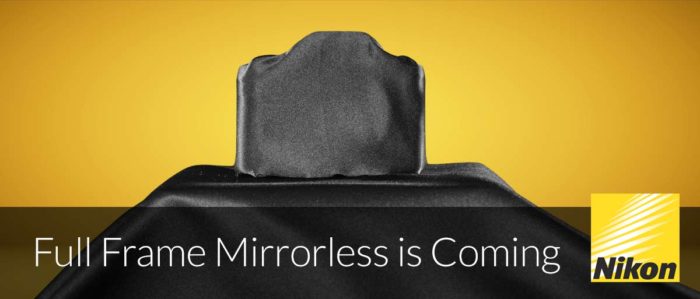
Canon & Nikon Full-frame Mirrorless Camera Predictions by Tony Northrup

Tony writes:

Rumors indicate that Canon and Nikon are planning full-frame mirrorless cameras to compete with the Sony a9, a7R III, and a7 III. If you want to go mirrorless, should you wait for those announcements (hopefully in 2018!) or sell your camera and switch now? We can’t perfectly predict the future, but we’ll do our best to give you some idea of what to expect in 2018.

Nikon patents a new smart in camera stabilization system (for future mirrorless?)

The folks at Nikoneye spotted a new Nikon patent describing a completely new kind of in camera image stabilization system. Instead of stabilizing the entire sensor Nikon plans to stabilize only the lens array on top of the sensor. Nikon writes:

The LF camera 100 of this embodiment is endowed with a VR (Vibration Reduction) function that suppresses influence of shaking (so-called “camera-shaking”) generated when image capture is performed while the camera is being held by hand. 

I guess the advantage of this is that you don’t have to move the entire sensor and maybe the image stabilization can work faster (lighter part to move) and in a more reliable way (sensor is always fixed and aligned).

As usual patent mean little. It may well be that Nikon will never use this tech. But at least it shows that they are trying to test some different approaches on the matter.

Xiaomi to buy GoPro? And new DJI Phantom 5 images leaked!

We got two news to report today:

First:
On top you see two new images of the DJI Phantom 5 drone with intercheangeable mount camera. Source OsitaLV.

Second:
Bloomberg reports: “GoPro Inc. jumped as much as 8.8 percent after a report said Chinese electronics maker Xiaomi Corp. has weighed whether to make an offer for the action-camera maker.


Luminar Jupiter 2018 released. Adds Camera/Lens Profiles, Batch Processing and more!

Skylum released the update 1.2.0 for Luminar 2018. It includes adding Batch Processing and a Free Transform tool to the Windows version.

If you plan to buy Luminar use the coupon code “MIRROR” you will get $10 off:

Luminar 2018 link: https://macphun.evyy.net/c/60087/320119/3255.
Luminar 2018 link to the Trial page: https://macphun.evyy.net/c/60087/339971/3255

Press text:

New Update to Luminar 2018 Brings Snappier Performance
Luminar Jupiter is now 3x faster and more responsive, and gets new pro features and over 300 other improvements.

Bellevue, WA – April 12, 2018 — Skylum Software today released the latest free update to Luminar 2018 which brings significant performance enhancements, improved RAW conversion and key-feature parity of Mac and Windows version with Batch processing, Free Transform, and Flip and Rotate features on Windows. Dubbed the “Jupiter” release, this latest version allows users to edit photos much faster with better quality results.

While enhancing speed and overall app performance was the major focus for the Jupiter update, Skylum also dramatically improved the RAW Develop filter with new tech to provide better color and less noise, plus incorporated automatic lens distortion removal. The result is a superior, cleaner starting image, ready for further editing.

“Our loyal community of users continues to offer ideas for new features that would benefit their respective workflows, and we’ll keep on listening, learning and improving our products,” said Alex Tsepko, CEO of Skylum. “Our goal is to produce fast, easy, and feature-rich imaging software that can offer both single-click solutions as well as custom functions for those who want absolute control.”

Many photographers are looking for two things to make their editing workflow more efficient: first is a high-quality RAW converter to unlock the best image their camera has produced; one that’s rich in detail and color, while free from noise and artifacts. The second is speed – a responsive application that matches pace with a photographers workflow, and makes it easy to edit photos to look their best, is one that will be the #1 choice. Luminar Jupiter brings both qualities to photographers of any skill level.

WHAT’S NEW

Speed improvements to get more done in less time

Skylum has dramatically increased the speed of editing across all areas of Luminar. Now images open faster, filters apply quicker, and the entire application is more responsive.

1. Most users will see snappier sliders as they’ve gained performance boosts of 3-25x for easier adjustments.
2. Luminar better uses the operating system for faster performance, with many operations seeing significant boosts.

Luminar Jupiter also got numerous interface and user experience improvements based on users’ feedback for an improved editing experience. The new version has several “under-the-hood” enhancements to add stability as well as to improve performance when editing even the largest of images.

Better RAW conversion

  1. Better exposure calculation. Refined initial brightness setting for RAW files produces a perfect match to how a camera saw the scene.
  2. Cleaner gradients. Improved de-mosaic process for even cleaner image conversion, i.e. smooth transitions in areas like skies and shadows for accurate color and less noise.
  3. Fewer halos. If an image has high contrast areas, the improved Defringe option will help with backlit areas or strong contrast.
  4. More cameras, better compatibility. Now even more RAW formats can be edited natively with the RAW Develop filter. Plus, a large set of existing camera modules have been refined for even better RAW conversion.
  5. Reduced chromatic aberration. If a lens shows color artifacts in high contrast or backlit areas, the new Auto Chromatic aberration removal option will help to get rid of green and cyan shifts.

Automatic lens distortion removal

Getting the perfect shot is now easier than ever. The RAW Develop filter analyzes an image and its metadata to calculate an Automatic Lens Distortion fix that can be applied in one-click. This is a perfect tool to get rid of wide angle distortion and get truer perspective lines and more attractive portraits.

Advanced support for DCP Profiles

Luminar recognizes the industry standard DNG Camera Profile, or “DCP” files, that users may already have on their computers (or have purchased from third parties) to ensure accurate and consistent colors. Users will also be able to use DCP profiles from DNG files. This feature is currently available for Mac and will be available soon for Windows.

Essential New Features for Windows Users

The Skylum team has put a lot of effort into making the Windows experience be world-class and significantly faster. In fact, the PC version now matches the Mac version for all core features with Batch Processing, Free Transform and Flip and Rotate tools.

Here are some Windows-specific additions

  1. NEW: BATCH PROCESSING. The powerful Batch Processing workflow saves time and effort.
  2. NEW: EASY TRANSFORMATIONS. To easily transform the shape of an image, the Free Transform tool can scale and position an object as needed. Plus users can easily Flip and Rotate an image using the Image menu commands.
  3. Better cloning. Users can quickly call up the Clone & Stamp module by pressing Ctrl + J. Softness, opacity, and size of the brush can also now be modified.
  4. Cleaner zooms. Accelerated zooming now delivers a cleaner image at all sizes. Images appear sharper when the zoom is beyond 100% for detail work. Plus the new version provides a cleaner preview when zoomed out to see the whole image.
  5. Preview mode. To check out a photo free from any distractions users can now use Full Screen Preview – a great way to really study an image in detail.
  6. Localization support. It’s even easier to use Luminar in a different language. The localizations have been improved for greater accuracy and can now be changed from the File menu in Windows version.
  7. Better masking controls. Users can create masks more easily when painting masks. Holding down the spacebar and dragging with the cursor, pans and moves the image when masking.
  8. Improved workflow with other applications. When using Luminar as a plugin with other applications, color profiles are properly included. This change also improves image exporting with attached profiles.
  9. Shared workspaces. Users can now share their custom workspaces.

If you plan to buy Luminar use the coupon code “MIRROR” you will get $10 off:

Luminar 2018 link: https://macphun.evyy.net/c/60087/320119/3255.
Luminar 2018 link to the Trial page: https://macphun.evyy.net/c/60087/339971/3255